Spatial computing for everyone
Start with an inclusive model of space


A useful starting point is to treat spatial computing as an integrative paradigm, not just a device category, because the arXiv review describes two meanings of “spatial”: contextual understanding of space and mixed space for interaction.[10] That matters for inclusion because systems should both understand real-world context and support embodied interaction across physical and digital environments, rather than forcing people into one interface style.[10] Berkeley’s XR accessibility guidance adds a practical frame: design for multiple means of representation, action and expression, and engagement, and plan for content development, assistive technology support, hardware selection, deployment with accommodation, evaluation cycles, and iterative improvement.[7]
Design for diverse abilities
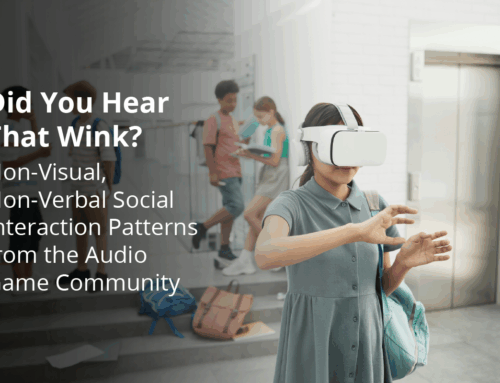
RNIB’s toolkit work for blind and partially sighted users highlights adjustable contrast modes, voice guidance, and clear non-visual feedback as core game-design responses.[1] The same research says that well-executed audio and consistent guidance can turn accessibility from an afterthought into a core design element in cultural XR experiences.[1] BCU’s paper on physical impairments identifies common barriers such as limited movement, incompatibility with mobility aids, device form factor, involuntary movements, fatigue, loss of proprioception, and difficulties with manual or bimanual control.[4] Its design guidance therefore recommends personalization, adjustable headset fit and camera height, support for mobility aids, and multiple interaction modes such as voice, gesture, gaze, and eye tracking, plus haptic feedback and clear support during use.[4] The broader UX guidance also recommends spatial audio, haptic feedback, clear navigation, progressive disclosure, movement breaks, and field-of-view management to reduce overload and fatigue.[5]
Make space for culture and cost
For cultural institutions, RNIB’s GLAM toolkit points toward audio-rich, consistently guided installations, and its collaboration model asks developers, platform providers, charities, and cultural institutions to work together instead of producing isolated examples of good practice.[1] Berkeley’s best-practice list adds concrete examples that fit mixed-ability audiences: spatial audio cues for wayfinding, contrast checks during development, caption workflows for 3D content, AAC device input, and motion-capability adaptation.[7] For users and organizations with limited budgets, the Frontiers paper notes that high software costs, hardware requirements, and steep learning curves can leave 3D creation to a small professional group, and it argues for lowering those barriers.[6] Its future directions include lightweight web and mobile versions, cloud-based content libraries, and cross-platform collaboration, while Berkeley also points to portable XR kits and XR-enabled labs as practical deployment options.[6][7]
Test with real users, not assumptions

RNIB’s Games toolkit was built from published studies, consultations with studios, and hands-on user testing with the Rhizoma VR prototype, which is a good reminder that accessibility work should be grounded in real use.[1] Its broader research also drew on 55 participants in multidisciplinary sandpits, bringing together researchers, industry specialists, disabled participants, charities, schools, colleges, and assistive technologists.[4] Dream Space used a similarly iterative approach: think-aloud sessions, semi-structured interviews, task-based observation, then task-time, error-rate, NASA-TLX, and UEQ-S measures across two rounds of testing.[6] That project also shows practical refinements that came directly from feedback, including hideable panels, stronger selection indicators, clearer warnings for destructive actions, voice input, and better deletion controls.[6] Taken together, these projects suggest a simple pattern: test early, test with diverse participants, measure workload and usability, then revise the interface repeatedly until feedback, control, and context all line up.[1][6]
Use proven patterns and toolkits


Successful projects in the sources point to a consistent toolkit stack: RNIB’s Games and GLAM toolkits, Berkeley’s SeeingVR, model-viewer, AR for VIPs, and WalkinVR examples, plus Dream Space’s multimodal editing environment.[1][7][6] Across them, the strongest recurring patterns are adjustable contrast, meaningful audio, non-visual feedback, multimodal input, support for assistive devices, and iterative evaluation with users who reflect the full range of abilities.[1][4][5][7][6] The most inclusive spatial experiences are the ones that let people choose how to move, see, hear, select, and collaborate, while keeping the system responsive to environmental constraints, social norms, and real-world context.[4][10]
Create your account to keep this answer and continue from it later.
Let's look at alternatives:
- Modify the query.
- Start a new thread.
- Remove sources (if manually added).