100

Is your Bluetooth secretly insecure?

You use it every day, but do you know how Bluetooth pairing *actually* keeps your connection private? Or when it fails? The difference between a secure link and an open mic for hackers comes down to a few key steps. Here’s how it works, and how to stay safe.

  • Bluetooth security: Emerging vulnerabilities
  • Glowing Neon Bluetooth Connection Icon Vector Image
🧵 1/6

1. The Handshake (Discovery & Pairing) Before connecting, devices must pair[19]. One device enters a “discoverable mode” to broadcast its presence, allowing another to find it and initiate a connection request[5]. Pairing creates a shared secret key so they can securely communicate later[2]. Why it matters: This initial handshake is the most vulnerable moment. An attacker listening in can try to intercept or impersonate a device[9][14].

  • Closeup of a Google Pixel 9 mobile phone the screen showing the devices available for Bluetooth connection.
  • Two nearby Bluetooth devices exchange a pairing request.
🧵 2/6

2. Old vs. New Security (Legacy vs. Secure Connections) Older Bluetooth used a PIN code to create the secret key[2]. If an attacker captured the pairing process, they could guess the PIN (often just “0000”) and crack the key[2][16]. Modern Bluetooth (v2.1+) uses Elliptic Curve Diffie-Hellman (ECDH) public-key cryptography[1][5]. Why it matters: ECDH prevents eavesdroppers from figuring out the secret key just by listening in, making your connection vastly more secure[2][5].

  • High-level pairing flow.
  • bluetooth security-authentication procedure
🧵 3/6

3. The “Just Works” Trap For devices with no screen or keyboard (like headsets), “Just Works” pairing connects them without a code[5]. While convenient, this method offers NO protection against Man-in-the-Middle (MITM) attacks[5][12]. An attacker can silently place themselves between you and your device[9]. Why it matters: You might think you’re connected to your headphones, but you could be sending your audio to a hacker’s device instead[11].

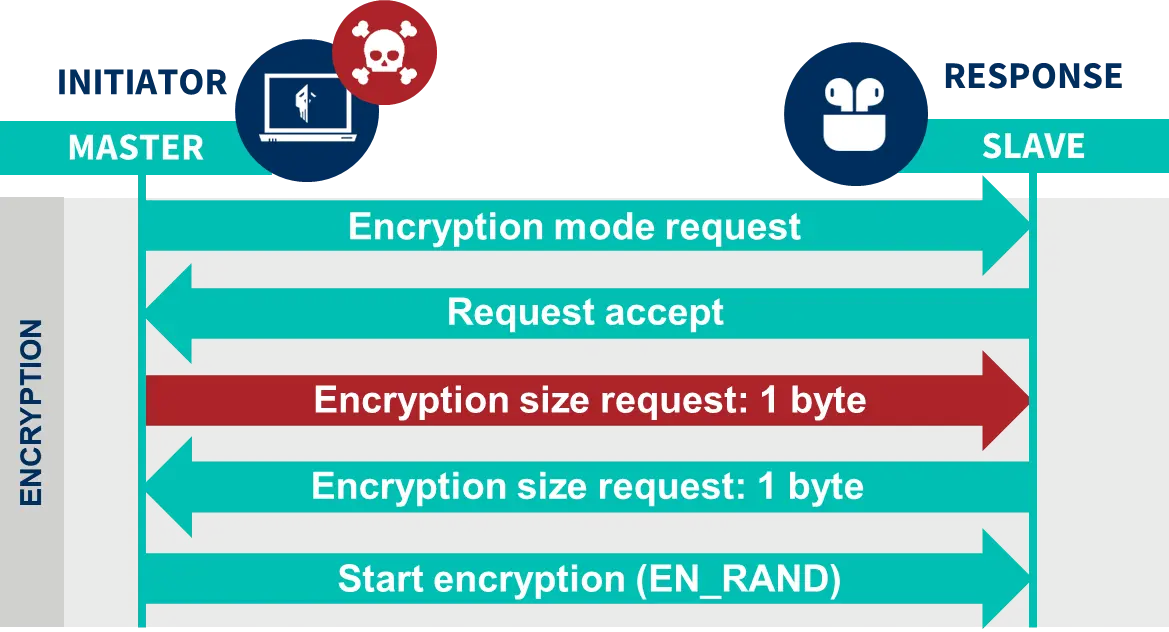
  • Detection of security vulnerabilities affects all Bluetooth versions Picture 2
  • The difficulty with the Bluetooth vulnerability discovered by Tarlogic is its implementation.
🧵 4/6

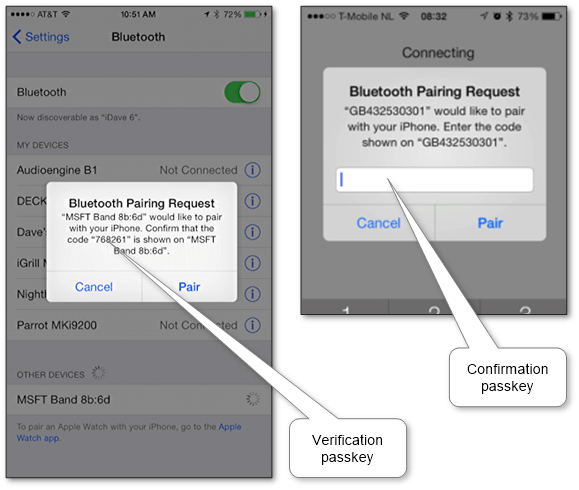
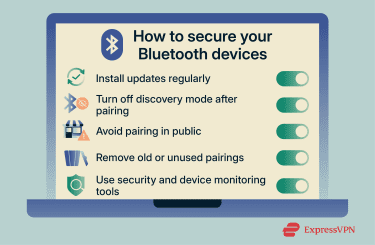
4. How to Stay Safe - Use Passkeys/Numeric Comparison: When prompted, always verify the 6-digit code on both devices. This confirms you’re connecting to the right one and prevents MITM attacks[5][9]. - Pair in Private: Pair new devices at home, not in a crowded café or airport where attackers can eavesdrop[5][14]. - Turn it Off: Disable Bluetooth when you’re not using it to prevent unwanted connection attempts and tracking[5][11].

  • ios_bluetooth_passkey_validation
  • Various ways to secure Bluetooth devices
🧵 5/6

Which of these Bluetooth security facts was new to you? Let me know below!

🧵 6/6